Flexible capture regions
The official recorder supports full-screen, window and selected-area capture for tutorials, presentations, demonstrations and other authorized workflows.
A practical guide to EaseUS RecExperts for screen, webcam and audio recording, with performance, storage, consent, protected-content and transcription checks.
Read4Max may earn a commission when you use this partner link.
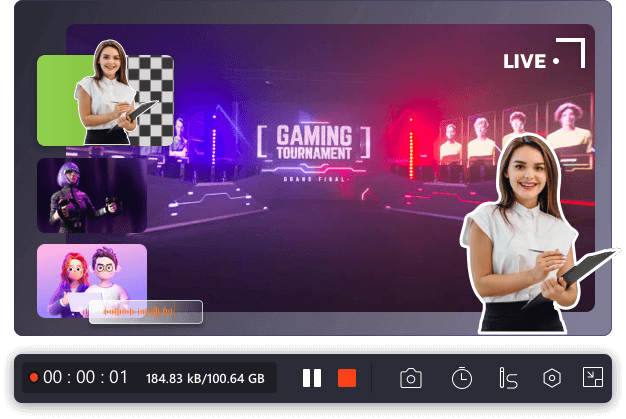
Screen recording is easy to start but harder to do responsibly. The computer must sustain the chosen resolution and frame rate, storage must be sufficient, audio sources must be configured correctly and the user must have permission to capture people, meetings, paid media or confidential information.
The official recorder supports full-screen, window and selected-area capture for tutorials, presentations, demonstrations and other authorized workflows.
Users can combine display content, camera and supported system or microphone audio depending on the current platform and permissions.
Recording controls can reduce manual supervision for authorized events or repeated workflows, subject to sleep, lock-screen and application behavior.
Current versions promote trimming and selected AI-assisted features, which can speed up routine work when their output is reviewed rather than assumed accurate.
Record a selected application window with narration, hide private notifications and edit the result before publication.
Obtain required participant consent, confirm local recording law and protect the resulting file according to its sensitivity.
Test microphone levels, resolution, storage and slide readability in a short sample before the full session.
No. Protected content may appear black or be prohibited by service terms. Use the recorder only for content and workflows you are authorized to capture.
Technically supported meeting capture does not remove legal or organizational consent requirements. Notify participants and follow applicable rules.
The selected resolution, frame rate, encoder, webcam, audio sources, storage speed and other running applications may exceed the computer's available resources.
No. Accents, noise, overlapping speakers and technical terms can create errors. Proofread important transcripts and consider privacy before uploading sensitive recordings.
A practical guide to EaseUS RecExperts for screen, webcam and audio recording, with performance, storage, consent, protected-content and transcription checks.
Each recommendation shows why it belongs here.
A decision guide to EaseUS Partition Master for resizing, moving, cloning and managing partitions, with backup-first safeguards and edition checks…

A practical guide to EaseUS Data Recovery Wizard for deleted, formatted or inaccessible files, with a cautious recovery workflow, edition checks and…

A practical guide to EaseUS PDF Editor for changing text and images, converting files, using OCR and preparing documents, with platform, trial and…