Outline-first workflow
Review the story and required sections before spending credits on a full deck.
This guide focuses on producing a PowerPoint-style deck and continuing work outside the browser. The current official pages describe editable slide generation and PPTX or PDF export, but export access may depend on the current account or available credits. Before paying, create a representative deck and confirm that the required export option is available. After download, open the PPTX in the exact desktop, web or mo
Read4Max may earn a commission when you use this partner link.
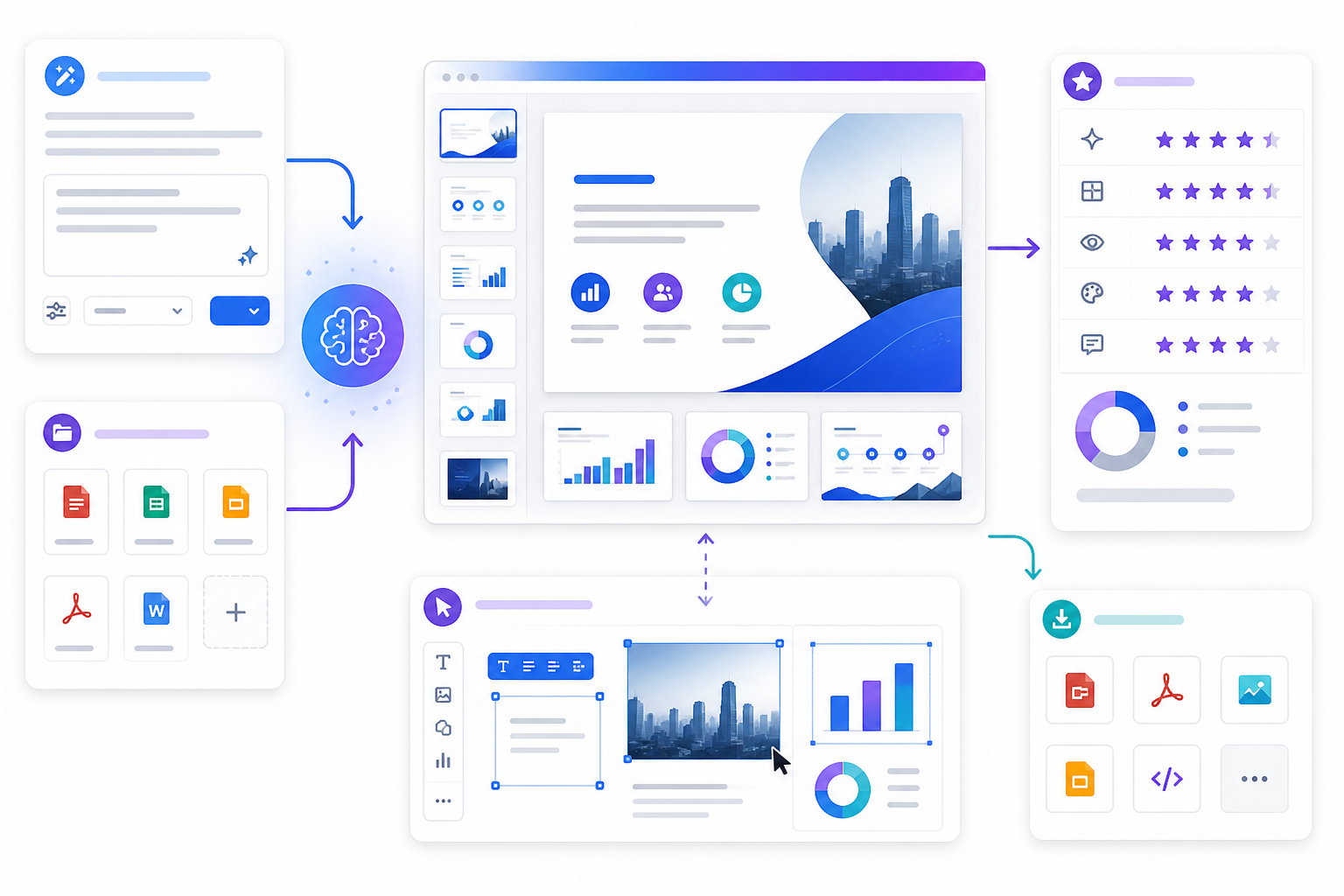
PopAi is an online AI productivity and presentation workspace, but generated text, summaries, structures, images and slide layouts must be treated as editable drafts rather than verified final work. Before sharing or presenting, check every name, figure, date, quotation, citation, calculation and source against the original material. Review visual hierarchy, accessibility, reading order, contrast, image rights, speaker notes and audience suitability. Do not upload confidential client files, trade secrets, unreleased financial information, health or legal records, children's information, authentication data or other sensitive material unless the user is authorized to process it and has reviewed the current privacy terms, retention controls, deletion options and organizational policy. Owning or receiving a file does not automatically grant permission to reproduce its text, images, charts or branding in a new deck. Confirm copyright, licence, attribution and academic-integrity requirements. Features, supported models, file limits, credits, templates, collaboration, watermark, export and pricing conditions can change by account, region and plan. Check the current interface before purchase. Exported PPTX or PDF files can differ across fonts, applications, devices and aspect ratios, so open the output in the target software and inspect every slide. PopAi does not guarantee factual accuracy, original content, design quality, accessibility, time savings, grades, sales, funding, client approval or any other outcome. This guide focuses on producing a PowerPoint-style deck and continuing work outside the browser. The current official pages describe editable slide generation and PPTX or PDF export, but export access may depend on the current account or available credits. Before paying, create a representative deck and confirm that the required export option is available. After download, open the PPTX in the exact desktop, web or mobile application your team uses. Inspect font substitution, line wrapping, charts, tables, image crops, animations, speaker notes, hyperlinks and slide dimensions. Keep the original source and a reviewed PDF reference so collaborators can identify changes. Do not promise “zero formatting loss”; compatibility depends on the content, fonts, software and device.
Review the story and required sections before spending credits on a full deck.
Start from a prompt, document, image or webpage when the current tool supports it.
Refine text, visuals and layouts instead of treating generation as the final step.
Test PPTX, PDF and sharing behavior in the actual downstream workflow.
Turn a clear brief or authorized source into an outline and editable slides.
Summarize and reorganize permitted documents while checking omissions and errors.
Verify facts, rights, accessibility, formatting and audience fit before sharing.
No. Treat it as a draft and verify facts, sources, visuals, rights, accessibility and audience fit.
The current official pages describe prompt, PDF, Word, PPTX, image, HTML and webpage workflows; support and limits should be checked in the live interface.
Do not assume so. Current export access can depend on account, credits or plan, and should be tested before purchase.
Only when you are authorized and the current privacy, retention, deletion and organizational requirements have been reviewed.
This guide focuses on producing a PowerPoint-style deck and continuing work outside the browser. The current official pages describe editable slide generation and PPTX or PDF export, but export access may depend on the current account or available credits. Before paying, create a representative deck and confirm that the required export option is available. After download, open the PPTX in the exact desktop, web or mo
Each recommendation shows why it belongs here.
This guide focuses on the total cost and operational limits of a MyClaw subscription. The official pricing page currently publishes several…

MuleRun combines a Super Agent, persistent cloud Computer, scheduled tasks, files, knowledge and connected-account workflows in one AI work platform,…

Evaluate Skywork as an AI workspace for research, documents, slides, sheets and other deliverables, with current checks for credits, privacy, connected…